Securing The .NET 9 App: Signup, Login, JWT, Refresh Tokens, and Role Based Access with PostgreSQL

Securing The .NET 9 App: Signup, Login, JWT, Refresh Tokens, and Role Based Access with PostgreSQL

REST APIs are stateless, so server does not store any information about the client. So we can not authorize the rest application in a traditional way. How does a server knows if the user is authenticated user or not? In this situation the Json Web Token (JWT) saves the day.

JSON Web Tokens are an open, industry standard RFC 7519 method for representing claims securely between two parties. Source: jwt.io

[Read More]

Handle Exceptions Globally in .NET Core With IExceptionHandler And IProblemDetailService

Handle Exceptions Globally in .NET Core With IExceptionHandler And IProblemDetailService

Problem details is a standard way to communicate error details in HttpResponse, defined in rfc 7807. Standard ProblemDetails Properties:

  • Type: URI identifying problem type
  • Title: Short error description
  • Status: HTTP status code
  • Detail: Specific error explanation
  • Instance: URI identifying specific error occurrence

Problem details is automatically integrated with .net core APIs. When we return the BadRequest we generally get response with problem details.

// controller method
return BadRequest();

// response

{
 "type": "https://tools.ietf.org/html/rfc9110#section-15.5.1",
 "title": "Bad Request",
 "status": 400,
 "traceId": "00-2d4948694b0f223f7f5dff215b42481b-0288bb95d7604783-00"
}

The same thing happens when we return the NotFoundException.

[Read More]

Dotnet Core Api CRUD With Dapper and PostgreSql

Dotnet Core Api CRUD With Dapper and PostgreSql

💻Source Code: https://github.com/rd003/PostgressDapperDemo

Tools and technology used

  • VS Code (editor)
  • .Net 8
  • Postgres
  • Dapper

Let’s get started with creating the database first.

create database PersonDb;

Now, create a table within the database.

create table Person
(
 Id serial primary key,
 Name varchar(30) not null,
 Email varchar(30) not null
);

To create a new project you need to run these commands in a sequence.

> dotnet new sln -o PostgressDapperDemo

> cd PostgressDapperDemo

> dotnet sln add .\PostgressDapperDemo\

> code . #this command will open this project in the vs code

Nuget packages

Install the following nuget packages.

[Read More]

Unit of Work With Generic Repository in DotNet Core

The Unit of Work Pattern is all about coordinated changes to the database. It groups multiple operations, such as inserts, updates, and deletes, into one transaction. This simply means that all the changes are done together as a complete action, or they all don’t happen at all. In case something goes wrong in one of the operations, the whole transaction rolls back and keeps the database consistent by not allowing partial updates. This makes it easy to handle errors and ensures reliable data.

[Read More]

Integration Testing in Dotnet With InMemory Db

Integration Testing in Dotnet With InMemory Db

Integration testing is a software testing technique, where individual units of a program are integrated together and tested as a group for interacting harmoniously with each other. It concerns the testing of interactions and interfaces between modules, components, or systems to see if they behave as expected once integrated.

📢 Always use real database for integration testing instead of InMemory Db.

Purpose

  • This is to ensure that various components or modules behave according to expectation.
  • In the case of integration, to find out whether there are problems concerning interfaces or inconsistencies in data.
  • Verifying whether it meets the set specifications and functionality of an integrated system.

Tech Used in this project

  • .Net 8 web APIs (controller)
  • Sqlite
  • EntityFrameworkCore
  • xUnit
  • In Memory Database (for testing)

Let’s get started

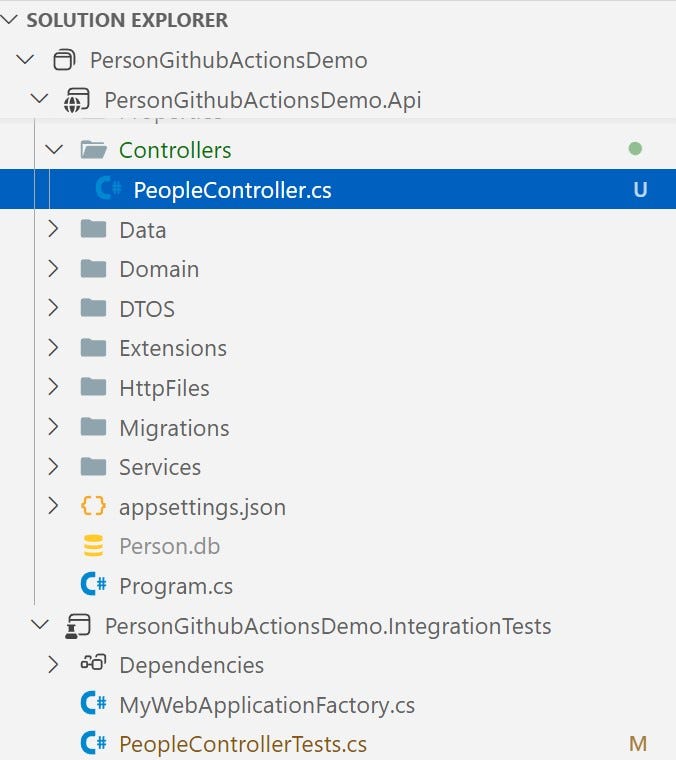
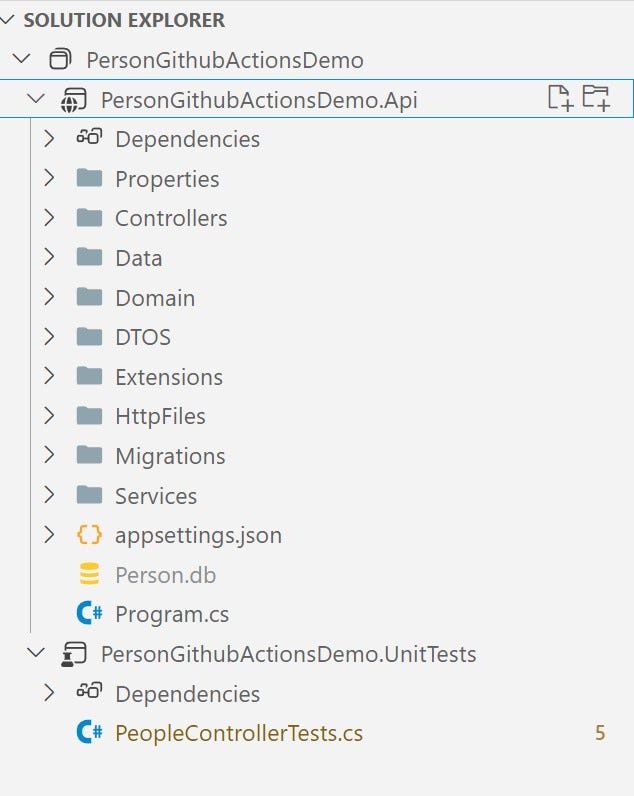
Create a sln file (I have named it PersonGithubActionsDemo) with two projects

[Read More]

Unit Testing in Dotnet Core With Nsubstitute

Unit Testing in Dotnet Core With Nsubstitute

As the name suggesting , Unit testing is a software testing where smallest units of the application such as methods are tested in the isolation, so that we can ensure our software is working as expected.

Commonly used testing frameworks

  • MSTest
  • nUnit
  • xUnit

Mocking frameworks

Mocking framework is a library which allows us to mock the objects. For example, a PeopleController is injected with the IPersonRepository. While testing the PeopleController, we need the IPersonRepository. Mock frameworks comes to rescue in that situation. With the help of mock frameworks we can mock the IPersonRepository and mimic it’s behavior. Some popular mocking libraries are:

[Read More]

Set Bearer Token to Each Request Automatically in Postman

Set Bearer Token to Each Request Automatically in Postman

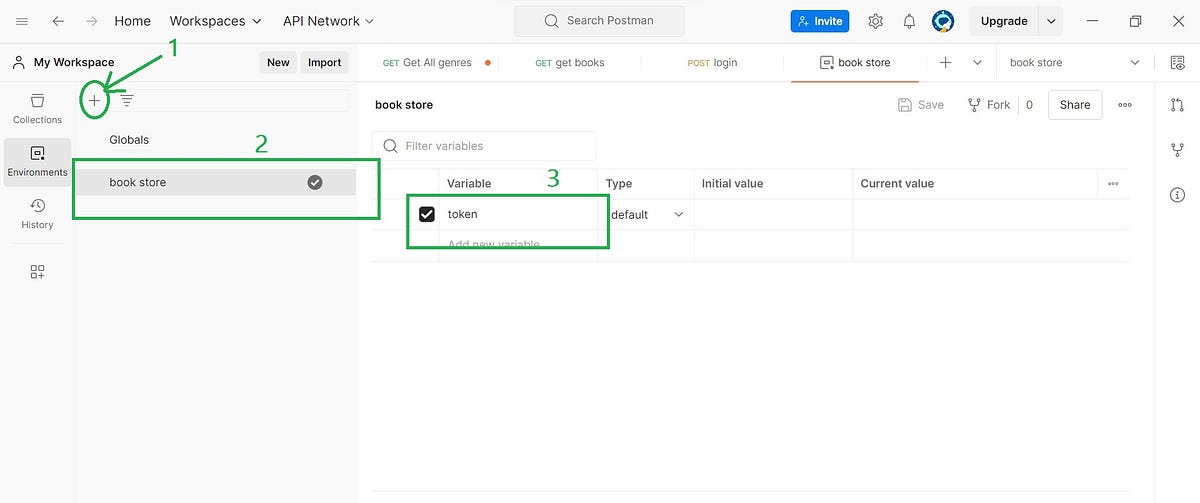
When we work with postman to test the endpoints, and those endpoints are authorized, each time (until it expires) we need to pass the token in the authorization header. To get the token, we need to call the login or authentication API . This process feels quite irritating , because we programmers hates this manual working. We always want an easy and automatic workflow. Let’s see how can we achieve this with postman.

[Read More]

.Net Core API CRUD With PostgreSql

.Net Core API CRUD With PostgreSql

When we create an application with .NET, we tend to use the Microsoft tech stack like Visual Studio IDE, Microsoft SQL Server, Windows Operating System, and Azure. However, things have changed since the introduction of .NET Core. We are no longer bound to a specific operating system and database.

In this blog post, we will learn how to create a Web API CRUD (Create, Read, Update, Delete) application using .NET Core and a Postgres database.

[Read More]

Higher Order Functions in C#

Higher Order Functions in C#

Higher-order functions (HOF) are functions that can take a function as an argument or return a function or both. In C#, higher-order functions are achieved using delegates, lambda expressions and expression trees.

Example 1: Using a Delegate

// Declare a delegate that takes an int and returns an int
public delegate int IntOperation(int x);

public class Program
{
    // Higher-order function that takes a delegate as an argument
    public static int PerformOperation(int value, IntOperation operation)
    {
    return operation(value);
    }

    public static void Main()
    {
        // Create a delegate instance that points to the Square method
        IntOperation square = x => x \* x;

        // Pass the delegate to the higher-order function
        int result = PerformOperation(5, square);
        Console.WriteLine(result); // Output: 25
    }

}

Example 2 : Using lambda expression

// Higher-order function that takes a lambda expression as an argument
public static int PerformOperation(int value, Func<int, int\> operation)
{
 return operation(value);
}

// main method

// Define a lambda expression that squares a number
Func<int, int> square = x => x * x;

// Pass the lambda expression to the higher-order function
int result = PerformOperation(5, square);

Example 3: Function as a Return Value

public class Program
{
    // Higher-order function that returns a function
    public static Func<int, int\> GetOperation(bool isSquare)
    {
        if (isSquare)
        {
            return x => x \* x;
        }
        else
        {
            return x => x + x;
        }
    }

    public static void Main()
    {
        // Get a function that squares a number
        Func<int, int> operation = GetOperation(true);

        // Use the returned function
        int result = operation(5);
        Console.WriteLine(result); // Output: 25
    }
}

In c#, higher order functions are everywhere. If one have used LINQ, must have used HO functions. Collection’s Where() is the good example.

[Read More]
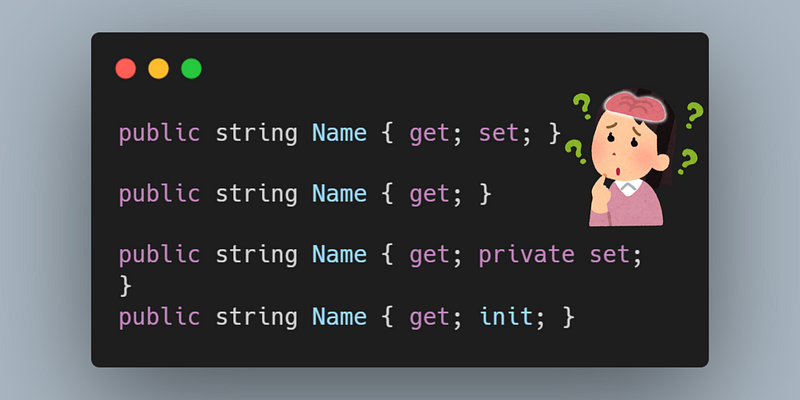
Let's dive into various types of properties in c#

Let's dive into various types of properties in c#

I assume you have some knowledge of C# properties. If not, here’s a quick definition: A property is a class member that provides a flexible way to read, write, or compute the value of a private field. Don’t worry if you’re new to properties; we’ll be using them in this blog, and I’ll explain them as we go along.

1. Properties with getter and setter

public class Person
{
 public string Name { get;set; }
 public int Age { get; set;}
}

Generally, we define properties like this. The Person class has two properties Name and Age, each with getters and setters. This enables you to set and read their values.

[Read More]