To be honest, since I have started using docker I have never installed any database in my machine. I use multiple databases and keeping each database up and running takes a toll on resources of your machine. And… you can not install some database like “sql server” on “mac”, then docker is only option for you. Any way, I think it is enough introduction. Let’s get started.
Pre-Requisites
- Windows: Docker desktop
- Linux: Docker desktop or just docker daemon without any ui client.
- Mac: Docker desktop. I am not sure whether there is a docker with just cli available for mac or not
Anyway, docker desktop works on all of them.
Pull the docker image of sql server
docker pull mcr.microsoft.com/mssql/server:2025-latest
This step pulls the docker image from docker hub to you machine.
Note that, mcr.microsoft.com/mssql/server is the name of image and 2025-latest is a tag of image. If you want to select the latest or specific version of sql server, then you need to visit docker hub and search for sql server.
Run the container
docker run -e "ACCEPT_EULA=Y" -e "MSSQL_SA_PASSWORD=p@55w0rd" \
   -p 1433:1433 --name mssql-dev --hostname sql1 \
   -v sqlvolume:/var/opt/mssql \
   -d mcr.microsoft.com/mssql/server:2025-latest
📢 Note: For windows powershell, replace \ with ` (backtick) in above command.
--nameit is a name of the container-especifies the environments. We are defining password here-pspecifies the ports. Left one is host port. Which is a port of your machine. Right one is the port of docker.-vvolume defines volume namedsqlvolumeat location/var/opt/mssql. You must define volume if you want to persist data. Volume persist data even you have destroyed the container. If you remove the container, all the database and data will be lost, unless you have defined a volume.-dname of the image with tag.
With this docker ps -a command, you can check all the containers.
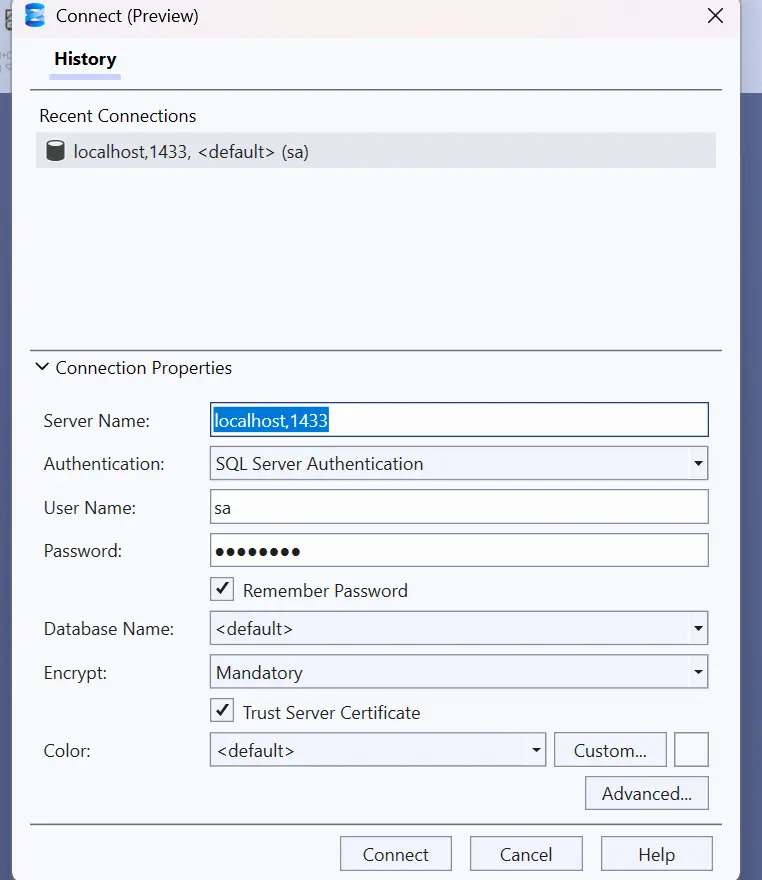
Sql server credentials
- Server Name:
localhost,1433 - Username :
sa - Password :
p@55w0rd
With these credentials you can log in to sql server management studio, dbeaver, vs code mssql extension (These are the tools I have personally used)or any sql client.
 [sql server management studio]
