Unit of Work With Generic Repository in DotNet Core

The Unit of Work Pattern is all about coordinated changes to the database. It groups multiple operations, such as inserts, updates, and deletes, into one transaction. This simply means that all the changes are done together as a complete action, or they all don’t happen at all. In case something goes wrong in one of the operations, the whole transaction rolls back and keeps the database consistent by not allowing partial updates. This makes it easy to handle errors and ensures reliable data.

[Read More]

Integration Testing in Dotnet With InMemory Db

Integration Testing in Dotnet With InMemory Db

Integration testing is a software testing technique, where individual units of a program are integrated together and tested as a group for interacting harmoniously with each other. It concerns the testing of interactions and interfaces between modules, components, or systems to see if they behave as expected once integrated.

📢 Always use real database for integration testing instead of InMemory Db.

Purpose

  • This is to ensure that various components or modules behave according to expectation.
  • In the case of integration, to find out whether there are problems concerning interfaces or inconsistencies in data.
  • Verifying whether it meets the set specifications and functionality of an integrated system.

Tech Used in this project

  • .Net 8 web APIs (controller)
  • Sqlite
  • EntityFrameworkCore
  • xUnit
  • In Memory Database (for testing)

Let’s get started

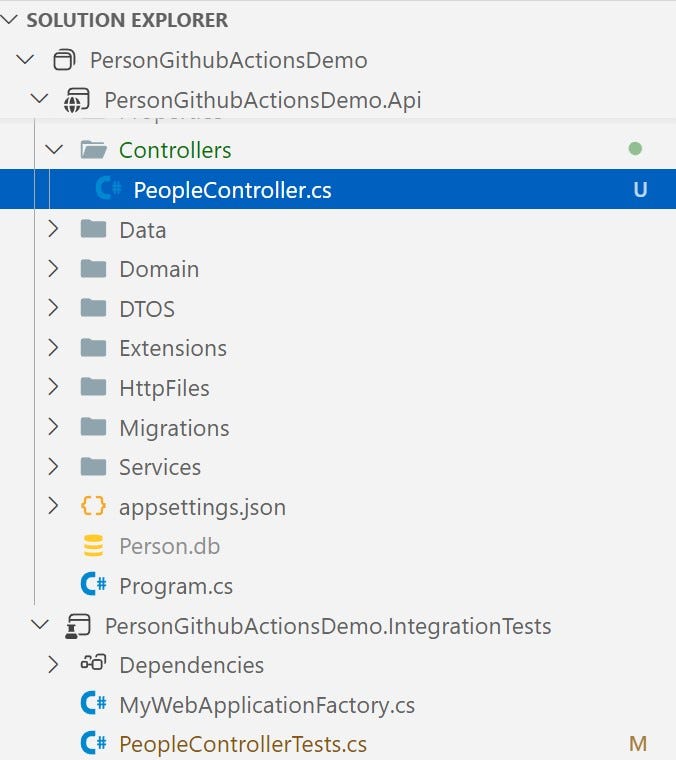
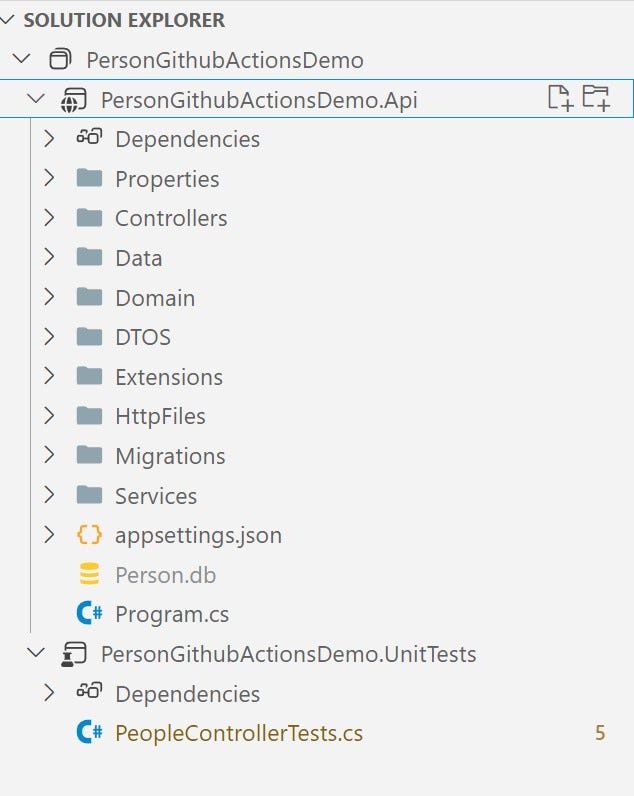
Create a sln file (I have named it PersonGithubActionsDemo) with two projects

[Read More]

Unit Testing in Dotnet Core With Nsubstitute

Unit Testing in Dotnet Core With Nsubstitute

As the name suggesting , Unit testing is a software testing where smallest units of the application such as methods are tested in the isolation, so that we can ensure our software is working as expected.

Commonly used testing frameworks

  • MSTest
  • nUnit
  • xUnit

Mocking frameworks

Mocking framework is a library which allows us to mock the objects. For example, a PeopleController is injected with the IPersonRepository. While testing the PeopleController, we need the IPersonRepository. Mock frameworks comes to rescue in that situation. With the help of mock frameworks we can mock the IPersonRepository and mimic it’s behavior. Some popular mocking libraries are:

[Read More]

.Net Core API CRUD With PostgreSql

.Net Core API CRUD With PostgreSql

When we create an application with .NET, we tend to use the Microsoft tech stack like Visual Studio IDE, Microsoft SQL Server, Windows Operating System, and Azure. However, things have changed since the introduction of .NET Core. We are no longer bound to a specific operating system and database.

In this blog post, we will learn how to create a Web API CRUD (Create, Read, Update, Delete) application using .NET Core and a Postgres database.

[Read More]

Image Upload CRUD Operations in .NET Core WebAPIs

Image Upload CRUD Operations in .NET Core WebAPIs

Upload images in .net core apis

In this article, we will learn how to upload/update/delete/read images in .net core APIs. I hate to give long and unnecessary intros, So let’s come to the point’s.

đź’» You can get the code from this github repo.

What is the logic behind it? 🤔

When you upload the image (or any file), we will generate the unique image name with it’s extension (eg. uniquename.png). Save the image name in the database and save the file with the same name inside the project. In production apps, you can not simply upload files to the server, you have to give permission to that folder. Or you can use other file storage service, where you will save your files.

[Read More]

Separating the DI Setup From Program.cs file

Separating the DI Setup From Program.cs file

Let’s take a look at the program.cs file below.

using InventoryMgt.Api.Middlewares;
using InventoryMgt.Data.Repositories;

var builder = WebApplication.CreateBuilder(args);

// Add services to the container.

builder.Services.AddControllers();
builder.Services.AddEndpointsApiExplorer();
builder.Services.AddSwaggerGen();
builder.Services.AddTransient<ICategoryRepository, CategoryRepository>();
builder.Services.AddTransient<IProductRepository, ProductRepository>();
builder.Services.AddTransient<IPurchaseRepository, PurchaseRepository>();
builder.Services.AddTransient<IStockRepository, StockRepository>();
builder.Services.AddTransient<ISaleRepository, SaleRepository>();
builder.Services.AddTransient<ExceptionMiddleware>();
builder.Services.AddCors(options =>
{
 options.AddDefaultPolicy(policy =>
 {
 policy.WithOrigins("*").AllowAnyHeader().AllowAnyMethod().WithExposedHeaders("X-Pagination");
 });
});
var app = builder.Build();

// Configure the HTTP request pipeline.
if (app.Environment.IsDevelopment())
{
 app.UseSwagger();
 app.UseSwaggerUI();
}

app.UseHttpsRedirection();
app.UseCors();
app.UseAuthorization();
app.ConfigureExceptionMiddleware();
app.MapControllers();

app.Run();

It is a regular program.cs file. Since we use the dependency injection in our application, we have to register lots of service in our program.cs file. For example:

[Read More]

Fluent Validation in Dotnet Core

Fluent Validation in Dotnet Core

Fluent validation

Fluent validation is an open source library for validating the models, which is free as of I am writing this article.

📢 📝 Last Updated: 25-March-2025

Why fluent validation?

If you already have used data annotation for validation, then you must be aware of the validation in .NET. So you might be thinking why do we need a fluent validation then.

Fluent validation helps you to separate validation logic from your models. That makes your code clean. If you have complex validation logic, then you want to define it separately rather than making your model unreadable.

[Read More]

Uploading Images in Blazor Server

Uploading Images in Blazor Server

In this blog post we are going to learn how to upload files in the blazor server application. I am going to upload images in this tutorial but you can upload any file (i have created reusable code).

đź’»Source Code: https://github.com/rd003/BlazorFile/

High level overview

We will upload images to a folder of a local machine ( on a production you have to use cloud storage) with a unique name (e.g. sd$3abccc3$1.png ), that name is going to save in database.

[Read More]

Easiest Way to Handle Csv Files in Csharp

Easiest Way to Handle Csv Files in Csharp

In this tutorial we will se how to read and write data to csv file. It is pretty much easy if you have some external library for that. We are definitely going to use a library and that will be CsvHelper.

You can also check the video version of this tutorial.

First and foremost, create a c# console application in .net core. After that we need to install a nuget package, which is**CsvHelper**

[Read More]

Catch Exception Globally in Dotnet Core Apis

Catch Exception Globally in Dotnet Core Apis

There are to ways of catching exception in .net core, one is using try/catch and other one is catching them globally. Although there is nothing wrong with try/catch blog, it is an elegant way of exception handling. Although you can also catch exceptions globally, If you want to log errors in one place. There are various approaches to achieve this, but we will create the custom middleware to achieve it.

[Read More]